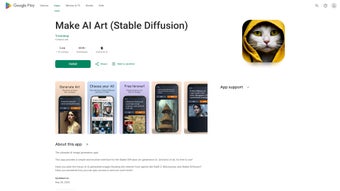

Download Make AI Art – Free AI Image Generator, Stable Diffusion Tool
Overview of Make AI Art (Stable Diffusion)
Make AI Art (Stable Diffusion) is a cloud‑based, web‑first platform that transforms simple textual descriptions into vivid, high‑resolution visual artworks. Leveraging the latest diffusion models—including the open‑source Stable Diffusion engine and proprietary enhancements inspired by MidJourney—the service can generate a broad spectrum of styles, from photorealistic landscapes to surreal abstract compositions. The core promise of the tool is accessibility: anyone with a modern web browser can start creating without the need for expensive GPUs, complex installations, or deep‑learning expertise.
The interface follows a clean, minimalist design philosophy. A prominent prompt bar sits at the top of the canvas, accompanied by a row of sliders that let you fine‑tune diffusion steps, guidance scale, and random seed. Once a prompt is submitted, the AI runs on high‑performance servers, delivering results in seconds while your device remains free for other tasks.
Security and privacy have been baked into the architecture from day one. All data travels over HTTPS, and the platform follows a strict “no‑retain” policy: prompts and generated images are stored only for the duration of the active session unless you explicitly download them or save them to a personal workspace. This approach satisfies both casual hobbyists and professional creators who are concerned about intellectual‑property leakage.
Make AI Art also supports collaborative workflows. Educators can create shared classrooms where students experiment with prompts together, and design teams can iterate on concepts in real time through a shared workspace link. By combining cutting‑edge AI capabilities with an intuitive, zero‑install experience, Make AI Art positions itself as a versatile, free‑to‑start tool that lowers the barrier to AI‑driven creativity for creators of any skill level.
Beyond the core generation engine, the platform offers a suite of auxiliary features that enhance the creative process. Built‑in tutorials walk newcomers through the fundamentals of prompt engineering, while a library of style presets—ranging from classic oil‑painting aesthetics to modern cyberpunk visuals—helps users achieve specific artistic directions without extensive trial‑and‑error. The service also integrates directly with popular social media platforms, allowing you to share your creations with a single click. Whether you are looking to produce concept art for a video game, generate marketing graphics for a startup, or simply explore the possibilities of AI‑augmented imagination, Make AI Art provides a secure, high‑quality, and instantly accessible environment to bring your ideas to life.
Features, Installation & Compatibility
Comprehensive Feature List
- AI‑powered text‑to‑image generation using Stable Diffusion and MidJourney models.
- Instant web‑based access – no download or local installation required.
- Resolution options from 512×512 up to 4K for print‑ready output.
- Adjustable diffusion parameters: steps, guidance scale, seed control, and aspect ratio.
- Style presets covering portrait, landscape, abstract, sci‑fi, fantasy, vintage, and more.
- Guided tutorials and prompt‑crafting tips for beginners and advanced users.
- Real‑time collaborative workspace for teams, classrooms, and creative groups.
- End‑to‑end encryption with HTTPS and temporary session storage.
- Export formats include PNG, JPEG, SVG, and direct sharing to Facebook, Twitter, Instagram, and Discord.
- Free tier with generous daily limits; premium credits unlock higher‑volume usage and priority GPU access.
- API endpoints for developers who want to embed the generator into their own applications.
- Multi‑language support for prompt input, currently available in English, Spanish, German, French, and Japanese.
Installation & Usage Instructions
Because Make AI Art is a cloud‑native web application, the “installation” process consists of a single step: open your preferred browser and navigate to makeaiart.com. For optimal performance, we recommend the latest versions of Chrome, Edge, Firefox, or Safari on desktop, and Chrome or Safari on mobile. Upon landing on the homepage, click the prominent “Start Creating” button. The UI loads a blank canvas with a prompt input bar at the top and a toolbar of adjustable sliders beneath it.
Enter a descriptive sentence—e.g., “a serene night sky over a futuristic cityscape in the style of Blade Runner”—and press “Generate”. The backend AI engine processes the request on high‑end GPUs, typically returning a rendered image within 5‑10 seconds. Once the image appears, you can use the “Steps” slider to increase the diffusion depth for finer detail, or adjust the “Guidance” scale to make the output adhere more closely to your textual description.
The “Seed” field lets you reproduce exact results later, while the “Aspect Ratio” dropdown offers standard formats (1:1, 16:9, 4:3) or a custom entry. After fine‑tuning, click “Download” to save the artwork in your chosen format, or use the “Share Workspace” button to invite collaborators via email. Collaborators receive a link that opens a synchronized view, enabling simultaneous prompt editing, comment threads, and version history tracking.
For power users, the platform provides an “Advanced Settings” panel where you can enable experimental features such as depth‑map generation, texture overlay, or multi‑prompt blending. These options are optional and are clearly labeled to avoid overwhelming beginners. The entire workflow is designed to be as frictionless as possible, ensuring that you spend more time creating and less time learning how to operate the software.
Compatibility (Operating Systems)
Make AI Art runs on any device capable of rendering modern web standards, making it truly cross‑platform. Supported environments include Windows 10/11, macOS Monterey and later, most mainstream Linux distributions with a graphical desktop (Ubuntu, Fedora, Debian, etc.), as well as mobile operating systems such as Android 9+ and iOS 13+. Because the heavy computation occurs on remote servers, the tool performs consistently even on low‑spec laptops, tablets, or Chromebooks. All you need is a stable internet connection and a recent browser version that supports WebGL and WebAssembly, which are used for real‑time preview rendering and UI responsiveness.
Pros and Cons – Balanced View
Pros
- Completely free entry point with no upfront cost for basic daily usage.
- High‑quality, photorealistic output powered by state‑of‑the‑art diffusion models.
- Zero‑install, browser‑based access works across Windows, macOS, Linux, Android, and iOS.
- Intuitive user interface complemented by step‑by‑step tutorials for beginners.
- Strong privacy safeguards: encrypted transmission and temporary session storage.
- Extensive parameter controls allow artists to fine‑tune details and style.
- Collaborative workspace supports education, team brainstorming, and remote design sessions.
- API access and multi‑language prompt support broaden the tool’s applicability.
- Regular updates and a responsive support team keep the platform stable and feature‑rich.
- Direct social media sharing streamlines publishing and community engagement.
Cons
- Requires a constant internet connection; offline generation is not possible.
- Free tier imposes daily generation limits, which may interrupt heavy workflows.
- Premium credits are necessary for ultra‑high resolutions, batch processing, or priority GPU access.
- Some niche artistic styles may need post‑processing in external editors for commercial polish.
- Older browsers or devices with limited RAM can experience slower render times or UI lag.
- While prompts are not permanently stored, transient server logs may retain minimal metadata for debugging.
- Advanced features such as depth‑map or multi‑prompt blending are currently experimental and may produce inconsistent results.
Frequently Asked Questions (FAQ)
Below you will find answers to the most common questions about Make AI Art. These FAQs are designed to help new users get started quickly, while also addressing concerns that experienced creators often raise. If you have additional queries, the support center and community forum are excellent resources for deeper exploration.
Is Make AI Art completely free?
The core functionality is free, allowing users to generate a limited number of images per day. For higher‑volume usage, premium credits can be purchased to unlock unlimited generations and higher‑resolution exports.
Do I need any technical knowledge to use the tool?
No. The platform is designed for beginners. Built‑in tutorials guide you through prompt creation, and the UI offers simple sliders for advanced settings.
Can I use the generated images for commercial projects?
Yes, images created under the free tier can be used commercially, but you should review the licensing terms for any third‑party model restrictions. Premium credits provide a clear commercial license.
What privacy measures are in place?
All data transmission is encrypted via HTTPS. Prompts and generated images are stored only temporarily for the active session and are automatically deleted unless you explicitly download them.
Which browsers are supported?
Make AI Art works on the latest versions of Chrome, Edge, Firefox, and Safari. Mobile browsers on Android and iOS are also fully supported.
How does the credit system work for premium features?
Credits are purchased in bundles (e.g., 100 credits for $9.99). Each high‑resolution render or priority‑GPU job consumes a set number of credits, which are deducted from your balance in real time.
Can I integrate Make AI Art into my own website or app?
Yes, the platform provides RESTful API endpoints that allow developers to embed the text‑to‑image engine into third‑party applications, subject to usage limits defined by your credit plan.
By addressing these points, we hope you feel confident exploring the capabilities of Make AI Art. The combination of a free tier, robust privacy, and powerful AI models makes it an attractive option for both hobbyists and professionals seeking a quick, reliable way to generate visual content.
Conclusion – Get Started Today
Make AI Art (Stable Diffusion) bridges the gap between cutting‑edge AI research and everyday creativity. Its free, browser‑based model eliminates traditional barriers—no expensive hardware, no complex setup, and no steep learning curve. Whether you need concept art for a game, eye‑catching graphics for a marketing campaign, or simply want to experiment with AI‑driven imagination, the platform provides a secure, high‑quality, and instantly accessible environment. The modest limitations of the free tier are balanced by generous daily quotas and an affordable credit system that scales with your needs. With strong privacy safeguards, cross‑platform compatibility, and collaborative features, Make AI Art stands out as a trustworthy addition to any creator’s toolkit.
Ready to unleash your imagination? Download Make AI Art now and start turning words into stunning visual masterpieces. Experience the power of Stable Diffusion without leaving your browser—no experience required, just curiosity and a creative spark.



.png)



